
Best Blogging Tools for Beginners and Advanced Bloggers

Hey friends! It’s Miss Simplitty here.
So, the other day I was chatting with a new blogger friend over coffee. She was asking me about my favorite blogging tools, and it got me thinking – why not share these tips with all of you?
I remember when I first started blogging about my travels and other passions. Gosh, it was a mess! I’d spend hours trying to edit a single photo or figure out how to schedule my posts. Talk about frustrating!
It took me some time, and I’ve found some really handy tools. They have made blogging so much easier and more fun. And you know me – I love sharing good stuff with my blog buddies!
So, grab a snack (I’m munching on some cookies as I type this), and let’s talk about some cool tools that’ll help you rock your travel and fashion blog. These tools are great for beginners and advanced bloggers.
I’ve tried a ton of different apps and programs over the years. Some were great, others… well, let’s just say they didn’t make the cut. But I’ve finally got a toolkit that works for me, and I think you’ll love these tools too. Remember that every blog post or social media platform may require a different set of apps. Choose wisely and don’t torture yourself.
Tools for Photo Editing
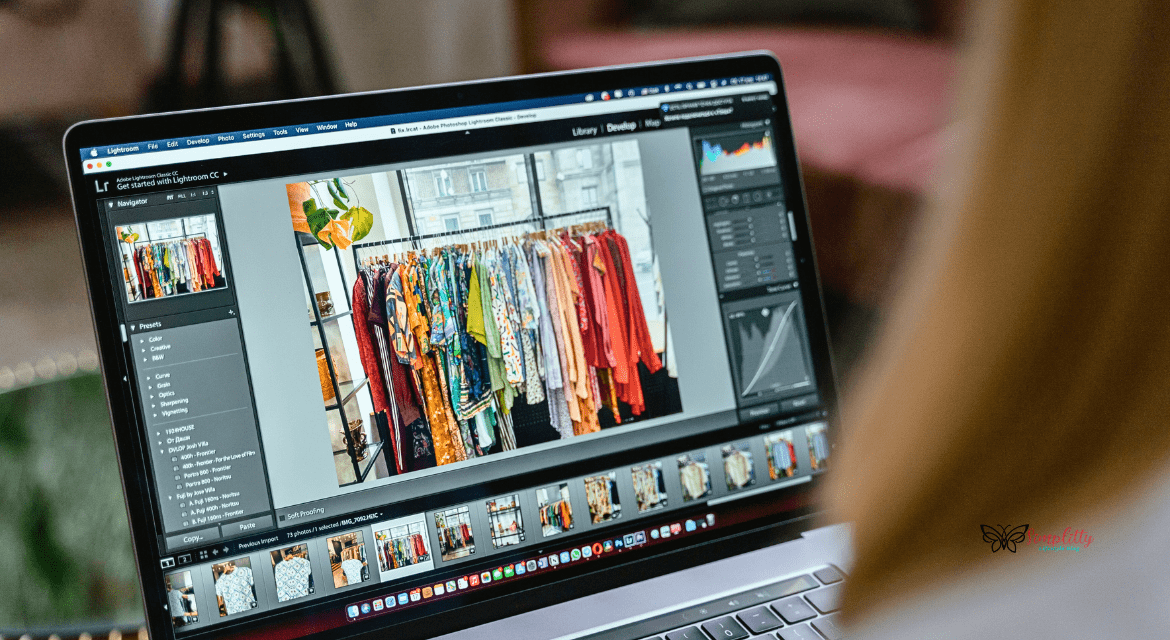
Alright, let’s chat about photo editing tools! Both travel and fashion niches require stunning photos. Trust me, these apps are total game-changers for your blog pics.
Desktop Software
First up, let’s talk about the big guns – desktop software. These are perfect for when you’re back from a trip and ready to make your photos pop.
Adobe Lightroom: Features and Benefits
Oh my gosh, Lightroom is my ride-or-die! It’s like magic for your photos. You can adjust everything from brightness to color, and it even helps organize your pics. Plus, it’s got these cool presets that can give your shots a consistent look. I use it for all my travel photos – it’s how I got the dreamy look on my pics from Greece!
Capture One
It’s like Lightroom’s fancy cousin. It’s a bit pricier, but boy, does it deliver! The colors it produces are out of this world. I used it for my experimental fashion shoot last summer, and the results were amazing.
DxO PhotoLab
It’s great if you’re all about the details. It’s got this awesome feature that removes noise from your pics – super handy for those low-light shots taken in a cute little Italian cafe!
Mobile Apps
But let’s be real – we’re not always lugging our laptops around. That’s where mobile apps come in handy!
Snapseed: Comprehensive Editing Options
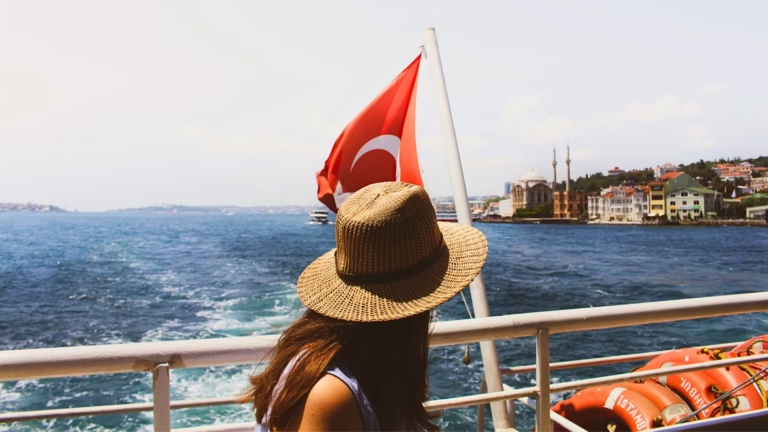
Snapseed is my go-to for quick edits on the go. It’s free and super easy to use. I used it to touch up a sunset pic from the beach in Turkey.
VSCO: Filters and Community
VSCO is great for filters and it’s got this cool community aspect too. I love scrolling through for inspiration when I’m feeling stuck.
Adobe Lightroom Mobile
Yep, Lightroom has a mobile version too! It’s perfect if you’re used to the desktop version and want similar tools on your phone.
PicsArt: Creative Tools on the Go
PicsArt is so much fun! It’s got tons of stickers and effects. I use it for my more playful private pics.
Facetune: Perfecting Portraits
Okay, I’ll admit it – I use Facetune sometimes. It’s great for smoothing out skin or whitening teeth. Just don’t go overboard, okay? We want to keep it real!
Afterlight: Quick and Easy Edits
Afterlight is perfect for adding that little extra something to your pics. I love their light leak effects – they add such a cool, vintage vibe.
AI-Powered Editing Tools
Now, let’s talk about the future – AI editing tools!
Luminar AI
Luminar AI is like having a little robot assistant. It can automatically enhance your photos, and even swap out entire skies! I used it to add a stunning sunset to a photo I took on a gloomy day.
Photolemur
Photolemur is super simple – you just drop in your photo and it does its thing. Great for beginners or when you’re in a rush.
Advanced Editing Software
For those days when you really want to dive deep into editing:
Adobe Photoshop: Professional Edits
Photoshop is the big kahuna of photo editing. It can be overwhelming at first, but it’s so powerful. I use it for more complex edits, like removing that annoying photobomber from my pic at the Colosseum!
Affinity Photo: Affordable Alternative
Affinity Photo is a great alternative if Photoshop is out of your budget. It’s got most of the same features at a fraction of the price.
GIMP: Free and Open-Source Editing
GIMP is totally free and open-source. It’s not as user-friendly as the others, but hey, you can’t beat the price! I like to use it to remove background from my project pictures. One of them is Simplitty’s logo. Bye bye, white background!
Whew! That’s a lot of tools, right? But don’t worry – you don’t need to use all of them. Start with one or two and see what works for you. If you are a beginner, start with the app which is free to use. Remember, the best tool is the one you’ll actually use!
So, which of these apps are you most excited to try? Let me know in the comments!
Tools for Video Editing
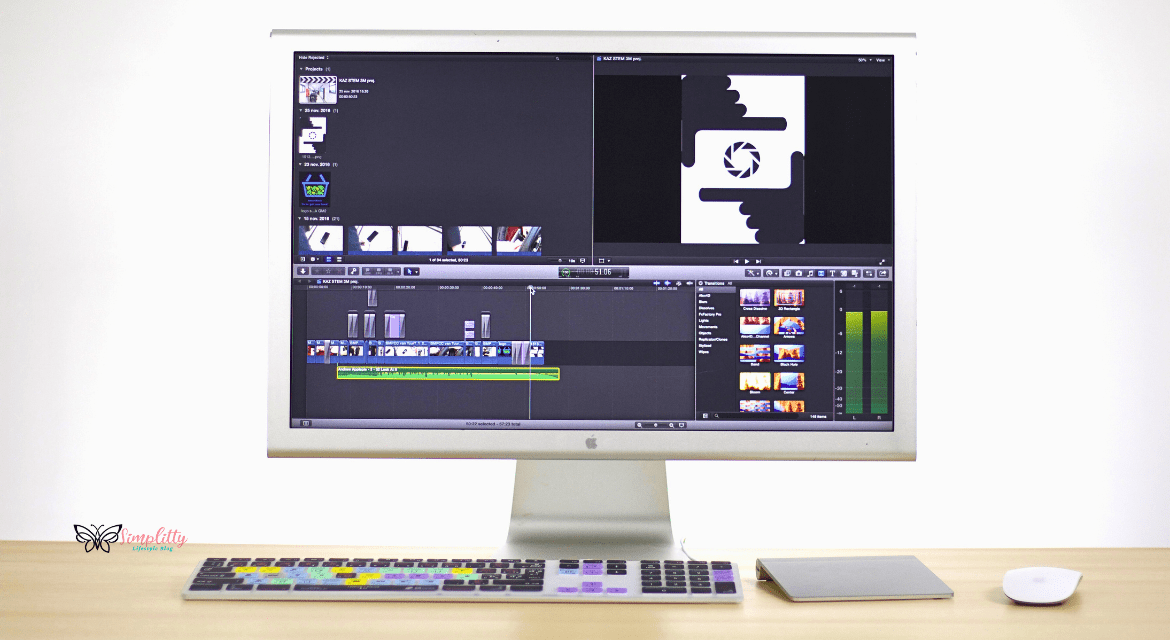
Many bloggers like to create videos. Are you one of them? Below there are tools that can help you to grow your blog even faster. Yes, videos are famous and you should give them a try.
Desktop Video Editors
These are the big guns for when you want to create seriously polished videos.
Final Cut Pro: For Mac Users
If you’re a Mac user like me, Final Cut Pro is awesome. It’s super smooth and intuitive. The magnetic timeline is a game-changer – it makes arranging clips so easy!
Adobe Premiere Pro: Industry Standard
It’s like the Swiss Army knife of video editors. It can do pretty much anything. It takes a bit to learn, but it’s so worth it. Plus, it works great with other Adobe tools.
DaVinci Resolve: Professional Color Grading
Okay, I’ll be honest – I’m still learning DaVinci Resolve. But wow, the color-grading tools are amazing! It’s free too, which is a huge plus.
Mobile Video Editors
Because let’s face it, sometimes you just want to edit on the go!
InShot: User-Friendly Interface
It’s my go-to for quick edits. It’s super easy to use – you can whip up a cute outfit transition video while waiting for your flight.
KineMaster: Advanced Mobile Editing
It’s like having a mini editing studio in your pocket. It’s got layers, blending modes, the works. I use it for more complex mobile edits.
LumaFusion: For iOS Users
Apple folks, listen up! LumaFusion is like Final Cut Pro’s little mobile sister. It’s the most powerful mobile editor I’ve used. And it’s super handy anywhere you go.
Tools for Social Media Videos
These are perfect for creating those short, snappy videos that do so well on social media.
TikTok: In-App Editing Features
I was skeptical about TikTok at first, but now I’m hooked! The in-app editing features are surprisingly good.
Instagram Reels: Creating Engaging Short Videos
Reels are great for showcasing quick fashion tips or travel moments. I love how easy it is to add music and text.
CapCut: Enhancing Social Media Clips
It’s a secret weapon for really polished social media videos. It’s got tons of effects and transitions. Use it to edit videos before posting them to TikTok or Reels – it gives them that extra oomph!
Here’s a pro tip: start simple. You don’t need to create a feature-length film right away. Even a 15-second clip of you twirling in a cute outfit in front of the Eiffel Tower can be captivating!
So, which video editor are you itching to try? Drop me a comment – I’d love to see what you create!
Tools for Content Planning and Management
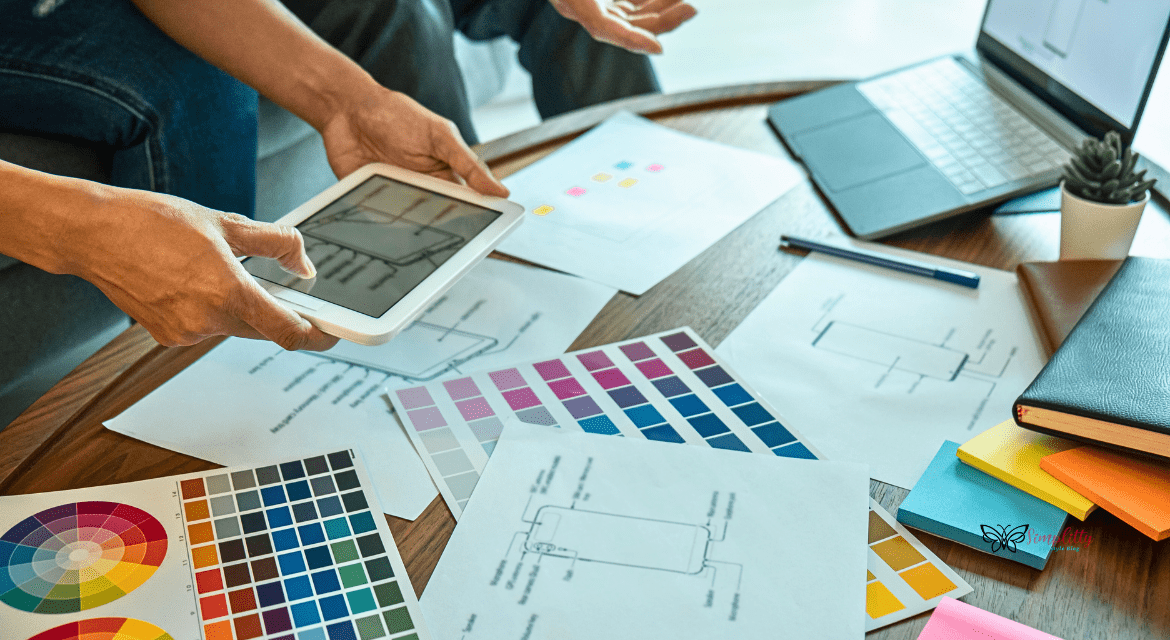
Okay, let’s talk about content planning and management tools. These are the unsung heroes that keep our blogs running smoothly behind the scenes!
Editorial Calendars
First up, editorial calendars. Trust me, these are lifesavers when you’re juggling multiple posts!
Trello: Organizing Your Content
Trello is my ride-or-die for organizing blog posts. I’ve got boards for “Ideas,” “In Progress,” and “Published.” It’s like having all my sticky notes in one place, but way prettier! I used it to plan my entire travel series.
Asana: Streamlining Workflow
Asana is great if you’re working with a team. You can use it when collaborating with photographers or guest bloggers.
Notion: All-in-One Workspace
Notion is like a Swiss Army knife for bloggers. I keep everything from post drafts to my travel itineraries here. It’s my digital brain!
CoSchedule
CoSchedule is awesome for seeing your blog and social media posts in one calendar. Super helpful for making sure I’m not overposting about one topic.
Google Calendar
Sometimes, simple is best. I use Google Calendar to schedule post-publish dates and deadlines. It syncs with my phone, so I never miss a beat!
SEO Tools
SEO can be a beast, but these tools make it so much easier.
Ubersuggest
Ubersuggest is my go-to for finding keywords. It helped me discover that people were searching for “hidden gems in Rome,” which helped me with one of my most popular posts!
SEMrush: Competitive Analysis
SEMrush is great for spying on… I mean, researching what other travel and fashion bloggers are doing. It gives me ideas for content gaps I can fill.
Rank Math SEO: Optimizing WordPress Posts
If you’re on WordPress, Rank Math SEO is a must-have. It’s like having a little SEO coach right in your dashboard. It helps me optimize my blog posts.
Analytics Tools
Because knowing your audience is key!
Google Analytics: Tracking Your Traffic
Google Analytics is the holy grail of website data. It showed me that my posts about travel around Europe were super popular, which inspired me to write more shortly!
Hotjar: Understanding User Behavior
Hotjar’s heatmaps are so cool. They showed me that people weren’t scrolling all the way down my longer posts, so I started adding a table of contents at the top.
Clicky: Real-Time Analytics
Clicky is great for real-time data. I love watching the little map light up when I publish a new post!
Idea Generation Tools
Writer’s block, begone!
Pinterest isn’t just for recipes and DIY projects. I use it to find trending travel and fashion topics. It gives me inspiration for my future blog posts. It’s also a good way to advertise my post and drive some traffic.
BuzzSumo
BuzzSumo shows you what content is performing well in your niche. It’s how I discovered people were loving “solo female travel” content.
Google Trends
Google Trends is fantastic for seasonal content.
Content Management Systems (CMS)
Where the magic happens! Find the best blogging platform to share your passions.
WordPress
WordPress is what I use for Simplitty.com. It’s super flexible and has tons of plugins. Plus, there’s a huge community for support. With WP you can create a blog with ease.
Squarespace
Squarespace is great if you want something more plug-and-play. The templates are gorgeous, and perfect for showcasing travel photos or fashion lookbooks.
Ghost
Ghost is awesome if you’re focusing on written content. It’s super clean and distraction-free. I used it for my travel journal when I was backpacking through Europe.
Whew! That’s a lot of tools, right? But don’t worry, you don’t need all of them. Start with what feels right for you. Remember, these tools should make your life easier, not more complicated!
So, which of these tools are you most excited to try? Let me know in the comments – I’d love to hear your thoughts!
Tools for Writing and Proofreading
Alright, let’s dive into writing and proofreading tools! These are absolute game-changers for creating polished, professional content. Trust me, they’ve saved my bacon more times than I can count!
Grammar and Spell Checkers
Grammarly: Comprehensive Writing Assistant
Oh my gosh, Grammarly is like having a personal editor on call 24/7. It catches those sneaky typos and grammar slip-ups that our tired eyes miss. I used it when writing my “Female Solo Travel Europe: 40 tips for your 1st-time solo travel in Europe in 2026″ post. It helped me sound so much more professional!
Hemingway Editor: Simplifying Your Writing
Hemingway is my go-to for making my writing clear and punchy. It highlights complex sentences and suggests simpler alternatives. Super helpful when I was crafting all my articles!
ProWritingAid: Detailed Writing Reports
ProWritingAid is like Grammarly’s nerdy cousin. It gives you in-depth reports on your writing style, readability, and more. I love using it for longer posts like my “The Ultimate Austria Itinerary: A Solo Traveler’s Guide With Travel Expert Tips”.
Content Creation
Scrivener: Advanced Writing Software
Scrivener is a powerhouse for long-form content. I used it to organize my thoughts for the “Unveiling the Secrets of the 10-Step Korean Skin Care Routine” post. It’s great for keeping research, outlines, and drafts all in one place.
Ulysses: Distraction-Free Writing
When I need to focus, Ulysses is my best friend. Its clean interface helps me concentrate on just writing. It was perfect for cranking out my “How to Find Your Personal Style: Beginners Guide” post without getting distracted.
Google Docs: Collaborative Writing
Google Docs is my go-to for collaborating with friends or getting feedback from fellow travel writers.
Plagiarism Checkers
Copyscape: Ensuring Original Content
Copyscape is crucial for making sure my content is 100% original. I always run my posts through it before publishing, like I did with “SEO Fundamentals in 2026: Your Ultimate Guide”.
Turnitin: Academic Integrity
While Turnitin is more for academic use, I sometimes use it for in-depth articles that require a lot of research.
Grammarly Premium: Plagiarism Detection
Grammarly Premium’s plagiarism checker is super convenient since I’m already using it for grammar. It gave me peace of mind when writing “The Power of Visual Content in Blogging: How to Use Images and Videos”.
Productivity Tools
Evernote
Evernote is my digital brain. I use it to jot down catchy blog post title ideas, save inspiring images, and even record voice notes when I’m on the go. It was invaluable when gathering ideas for “20 Best Romantic Valentine’s Day Date Ideas for 2027″.
Notion
I’ve mentioned Notion before, but it bears repeating. It’s fantastic for organizing blog post drafts, creating content calendars, and tracking my blogging goals. It helped me plan out my entire /”>Korean Skincare Routine series.
Scrivener
Yes, Scrivener appears twice! It’s not just for writing – it’s also great for organizing research and plotting out a series of related posts. I used it to plan my complex post on “How to how to start a travel blog on WordPress! Don’t get so caught up in optimizing your productivity that you forget to enjoy the journey.
I’d love to hear about your favorite productivity hacks! Do you use any of these tools? Or maybe you’ve got a unique way of staying organized while juggling blogging and life? Drop a comment below and let’s share our tips and tricks!
And hey, if all of this feels overwhelming, don’t worry! Start small – pick one tool that sounds interesting and give it a try. You don’t need to revamp your entire workflow overnight. Remember, the best productivity system is the one that works for you. So experiment, have fun, and find what helps you be your best, most creative self!
Conclusion

Wow, we’ve covered a lot of ground, haven’t we? From photo editing to social media management, from travel planning to productivity – there’s a tool for just about everything in the blogging world!
Remember, using the right tools can be a game-changer for your blog. They can save you time, boost your creativity, and help you create content that really resonates with your audience. But here’s the thing – you don’t need to use every tool out there. It’s all about finding what works best for you and your unique blogging style.
I encourage you to explore and experiment with different tools. Maybe start with one or two that address your biggest challenges. Are you struggling with time management? Try out RescueTime or Toggl. Need help with photo editing? Give Lightroom or Snapseed a spin.
At the end of the day, these tools are here to enhance your travel and fashion blogging experience, not complicate it. They should make your life easier and free up more time for what really matters – experiencing new destinations, trying out fashion trends, and connecting with your audience.
But here’s a crucial reminder: don’t let tools overshadow your authentic voice. The most important “tool” in your blogging kit is your unique perspective and experiences. No app can replace the excitement of discovering a hidden gem in a new city or the thrill of putting together the perfect outfit.
So, use these tools to streamline your workflow and polish your content, but always let your personality shine through. After all, that’s what will keep your readers coming back for more!
FAQs
What are the essential tools for a beginner travel and fashion blogger?
If you’re just starting out, don’t overwhelm yourself! I’d recommend focusing on these basics:
- A good photo editing app like Snapseed or VSCO
- A content planning tool like Trello or Asana
- A social media scheduling tool like Hootsuite or Buffer
- A basic SEO tool like Yoast SEO (if you’re using WordPress)
- Canva for creating graphics
Remember, you can always add more tools as your blog grows!
How can photo editing tools improve my blog’s visual appeal?
Photo editing tools can work wonders for your blog’s aesthetics! They can help you:
- Enhance colors to make your travel photos pop.
- Correct lighting issues (super helpful for those tricky indoor fashion shots!).
- Create a consistent look and feel across your images.
- Add text overlays or create Pinterest-friendly graphics.
- Crop and resize images for different platforms.
Just remember, the goal is to enhance your photos, not completely change them. Keep it real!
What are the best tools for managing social media for a travel and fashion blog?
Social media is crucial for travel and fashion blogs! Here are my top picks:
- Hootsuite or Buffer for scheduling posts across platforms.
- Later for visual Instagram planning.
- Tailwind for Pinterest management.
- Canva for creating eye-catching graphics.
- A good analytics tool like Sprout Social to track your performance.
The key is finding tools that help you maintain a consistent presence without spending all day on social media.
How can I monetize my travel and fashion blog effectively?
Monetization is exciting! Here are some tools to help:
- Amazon Associates for affiliate marketing
- RewardStyle for fashion-specific affiliate links
- MediaVine or AdThrive for display advertising (once you hit their traffic requirements)
- Teachable or Thinkific if you want to create and sell courses
- Gumroad for selling digital products
Remember, diversifying your income streams is key!
What are the top collaboration tools for bloggers working with a team?
Collaborating can take your blog to the next level! Try these tools:
- Asana or Trello for project management
- Google Drive for file sharing and collaborative editing
- Slack for team communication
- Zoom or Skype for video meetings
- DocuSign for handling contracts
Effective collaboration is all about clear communication and staying organized.
——————————————
And there you have it, folks! I hope this guide helps you navigate the wonderful world of blogging tools. Remember, the perfect toolkit is the one that works for you. So don’t be afraid to try new things, but also don’t feel pressured to use every shiny new app that comes along.
What are your experiences with these tools? Do you have any favorites that I didn’t mention? I’d love to hear about it in the comments! Let’s keep the conversation going and learn from each other. After all, that’s what the blogging community is all about!
Happy blogging, and I can’t wait to see the amazing content you create with these tools! Keep exploring, keep creating, and most importantly, keep being uniquely you!
Book Your Trip with These Resources
Here are my go-to resources for planning a seamless and stress-free trip. I personally use these services and highly recommend them.
Flights and Transportation
- Skyscanner – Best for finding cheap flights worldwide.
- Kayak – Ideal for comparing multiple travel sites at once.
- Rome2Rio – A fantastic tool for planning multi-modal transportation routes.
Accommodation
- Booking.com – Best rates for hotels and guesthouses.
- Agoda – Best rates for hotels.
- Hostelworld – Perfect for budget travelers and solo adventurers.
- Airbnb – Great for unique stays and long-term rentals.
- HotelTonight – Awesome for last-minute hotel deals.
Travel Insurance
- SafetyWing – Comprehensive coverage for all travelers.
Trip Planning and Activities
- Get Your Guide – Find tours, skip-the-line tickets, and local experiences.
- Klook – Book tours, tickets, and activities at your destination.
Helpful Tools
- Google Translate – Break language barriers while traveling.
- SurfShark VPN – Stay safely connected wherever you go.
Don’t Forget to Read
Affiliate Disclosure: Some links above are affiliate links, meaning I earn a small commission if you purchase through them at no extra cost to you. These help me keep the blog running, so thank you for your support!